July 8, 2026
Your show has a signature now
Introducing Identity Studio: branded openers, outros, and a signature look for every project — designed by you in a full-screen studio, or by your AI assistant, live, in the conversation.
Michael Ruescher, Founder · 4 min read
Clips made by tools look like they came from a tool. You've seen it: the same caption style, the same hard cut into the same watermark, ten near-identical shorts a day. The clip might be good. It still doesn't feel like it belongs to anyone.
A show you take seriously opens a certain way. The wordmark lands. The episode title reads. The sound resolves. Then the moment plays. That beat — two seconds, maybe three — is the difference between "a clip" and "an episode of something."
Today that beat is part of BitterClip.
What shipped
Every project now has an FX tab. Pick a signature effect — Signal Lock, Harmonic Resolve, and a growing set — bind it to your brand, and every render from that project opens and closes as yours. Brand packs are strict dark or light: your logo, wordmark, palette, fonts, and tagline on a pure stage, no mud in between. Opener titles are per-episode, so "Episode 14: The Deadlift Session" is baked into the video itself, not slapped on as a thumbnail.
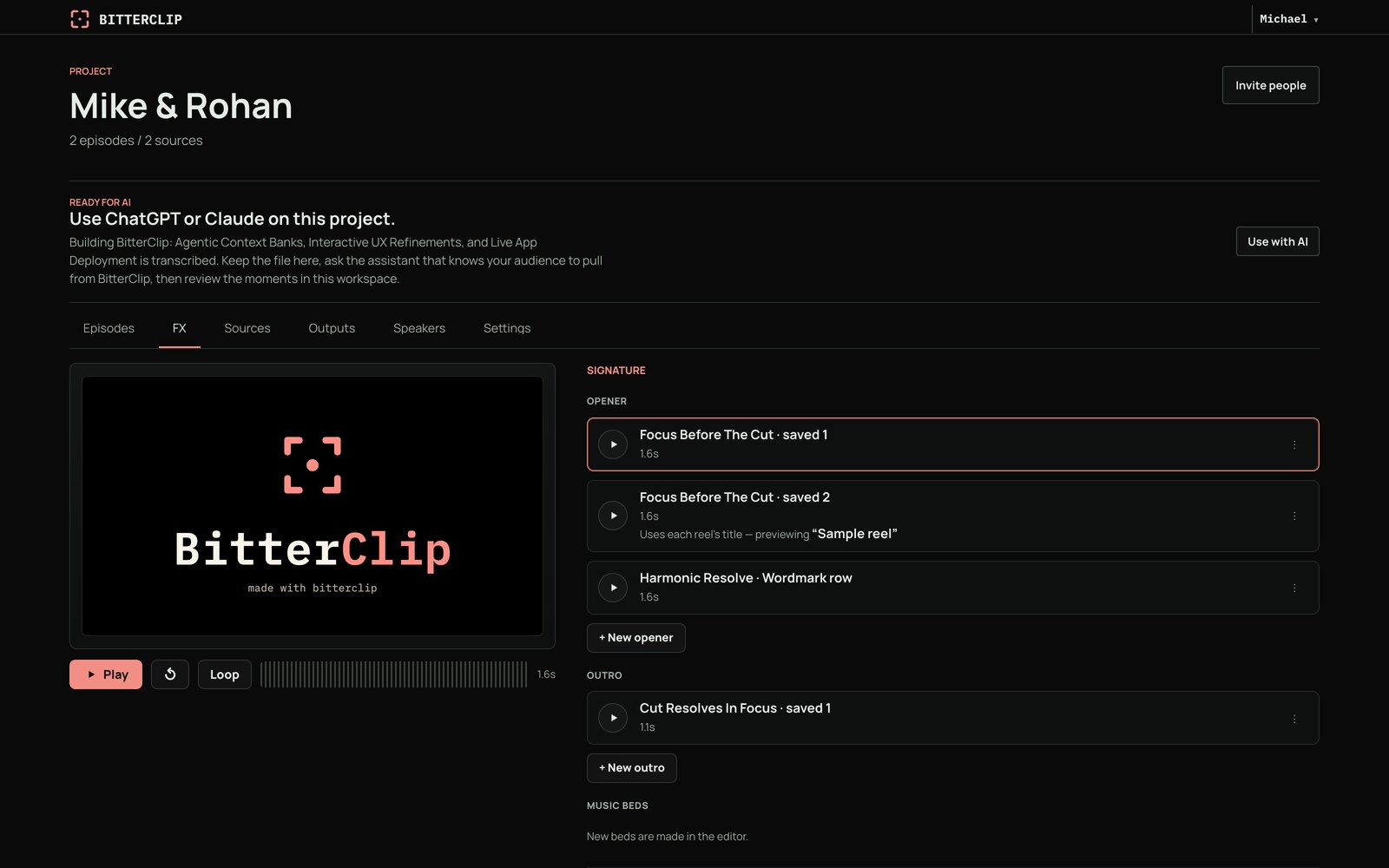
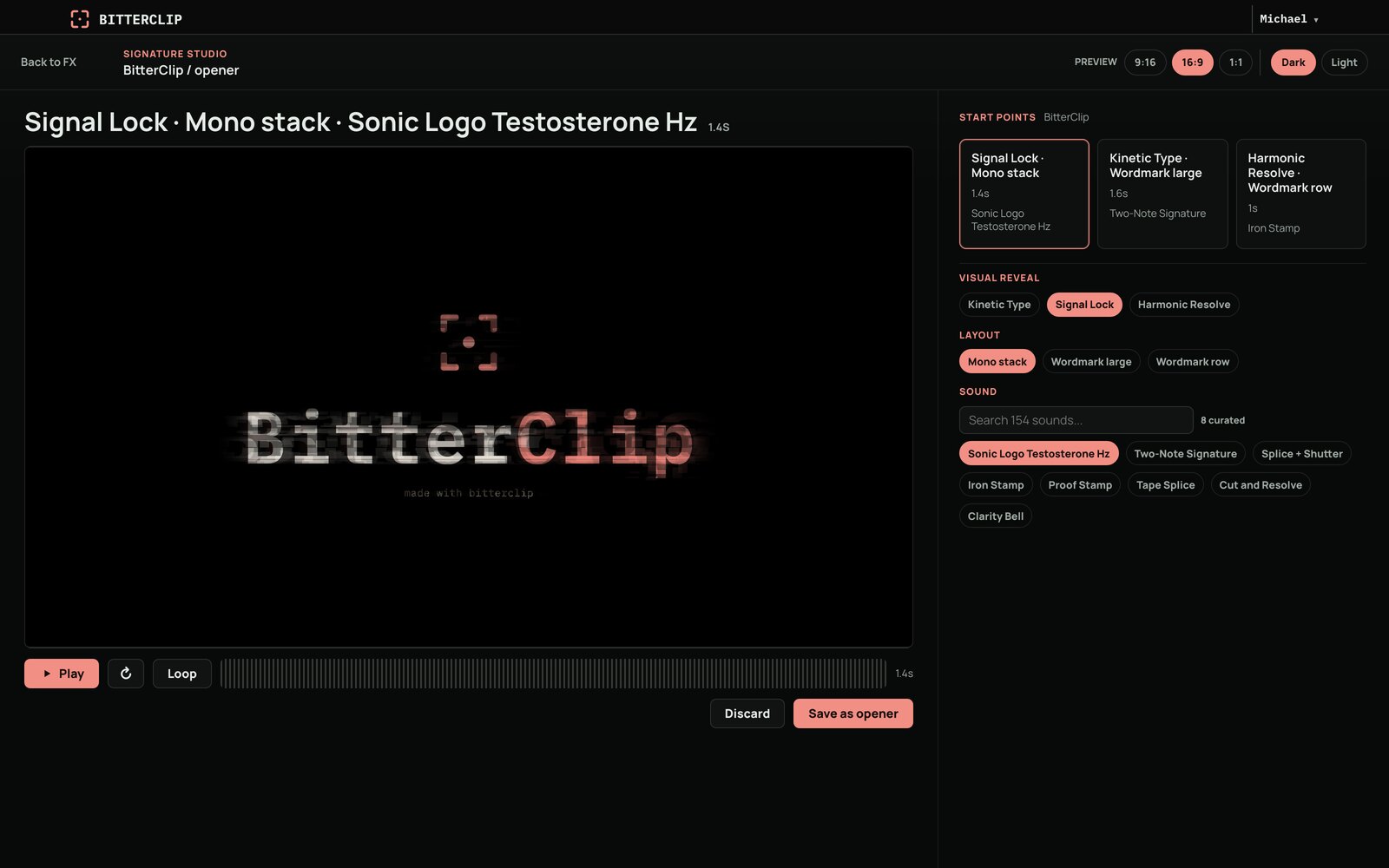
Signature Studio is the full-screen lab. Audition motion and sound together, tune the beat until it lands, and save the result to your identity library. The library lives at your account level — build the look once, set it as the default for a project, and every future render carries it.
And it survives all the way to the file. This isn't a preview skin. The opener, the outro, the title, the captions — they're rendered into the MP4 you download or publish, through the same pipeline that cuts the clip itself.
The part we're most excited about: your assistant can design it
Here's the thing we built underneath, and it's the reason this release exists.
Motion design in BitterClip isn't a template picker. Every effect is a small piece of real code — a scene with a stage, elements, and motion keyed to time and sound. Which means something interesting: a model can write one.
Connect ChatGPT or Claude, hand it your logo, and describe the vibe — "minimal, confident, dark, one pulse of color when the wordmark locks in." Your assistant ingests the asset, writes your brand pack, and then writes the scene itself. It previews actual frames of its own work, looks at them, revises the code, and previews again — the same loop a motion designer runs, compressed into your conversation. When it feels right, it saves the result as your project's opener.
We watched an AI assistant that had never seen these tools before take a logo and a one-line brief and produce a working signature opener — full-frame stage, wordmark resolving on the beat, motion locked to the soundtrack — end to end, in one conversation.
Why build it this way instead of shipping a hundred templates? Because templates are frozen at whatever taste we had the day we made them, and models get better every quarter. Effects-as-code means the ceiling on your opener is the ceiling on your assistant — and that ceiling keeps moving up. You bring the taste and the yes/no. The assistant brings the hands.
Want to see it on your own show? Connect your assistant and ask for an opener.
Built with our design partners
This release didn't come from a roadmap. It came from early customers who kept telling us what a finished show actually needs.
Frontier Studio pushed us hardest here — Rohan, who hosts the Founder-Led Podcast, is the reason we leaned into signatures at all. When we offered to start experimenting with his show's raw footage, he texted back:
Read my mind. MVP for a podcast: 30-sec sizzle intro hook, tightly edited, light audio/color grading on full episode. As close to one-shotted thumbnail & title, description template based on library template. Click to publish.
That text is the bar this release is built against: the hook, then the signature, then the episode — the whole broadcast package, produced for every episode, with taste applied once and carried automatically. "Does this feel like a real show?" was the question every effect had to survive.
Andrew of Strength & Positions coaches in person and films every session. The highlight reels he sends his clients aren't marketing — they're part of the coaching: a condensed memory of the session's best work, something a client holds onto between visits. Reel after reel, they become a running record of progress, and that continuity is the relationship. What Andrew asked of us is that each reel feel like part of that ongoing story — same look, same care, an episode of something the client is in — rather than a loose file in a text thread.
If you're producing a show or building a client business on recorded sessions and want to push on BitterClip with us, we'd love to hear from you.
Getting the finished thing out
One more piece, because a signature clip that's stuck inside a tool isn't finished: you can now mint a public download link for any rendered output. It's a direct MP4 URL that expires (7 days by default, up to 14) — hand it to a client, drop it into a Zapier flow, feed it to a captioning or scheduling tool. No integration required on their side; if it can fetch a URL, it can take your clip. Ask your assistant for "a public link to that render" and it's done.
Know what mattered in the recording — then make it look like yours.