Cut your clips inside ChatGPT.
Upload a podcast, interview, or founder call and just ask. ChatGPT finds the moment and opens a real editor right in the chat — trim it, hear it in context, and post a finished clip. No new app to learn.
Free to start — 60 minutes of footage a month. Made for founders, podcasters, and coaches doing their own marketing.
Pull the strongest moments from episode one and cut me clips.
The strongest moment is where you explain why you started. I found three cuts — open one, tighten the range, and check it before you post.
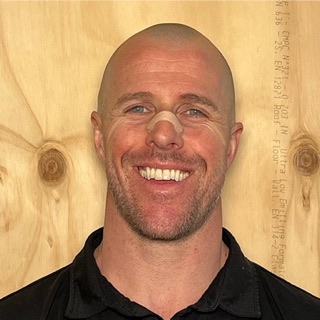

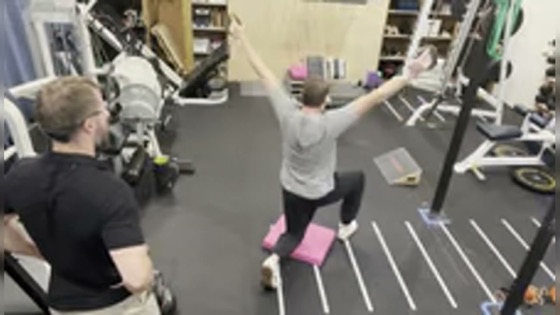
“Working through session footage is the worst three hours of my week — and the most important. It’s how I remember exactly what happened with a client and build on it next session.”

“The friction was the whole problem with founder content — timestamps, clunky editors, the back-and-forth on every clip. Now I make the clips inside Claude, while I’m already in there.”
01 — Right in ChatGPT & Claude
Other clippers guess. Yours knows the whole conversation.
Drop in a podcast, a founder call, or a training session. BitterClip transcribes it and labels every speaker — names and all — automatically. By the time you open ChatGPT or Claude, the whole conversation is already there: who said it, what came before and after. Ask for the sharpest exchange — the moments it picks land.
Andrew72%Adrian28%02 — The handoff
Finished clips — out the door, your way.
Trim it, export, done. Post it straight to YouTube, X, Instagram, or LinkedIn, or grab a shareable link. And invite a client to the same recording so they can pull their own clips in their ChatGPT or Claude — upload once, everyone clips.
03 — Before you ask
The questions everyone asks first.
- What happens after I sign up?
- Create the free account, connect BitterClip in ChatGPT or Claude, and upload a recording. Ask for the strongest moment and the editor opens with it — check it, trim it, export.
- Do I need ChatGPT, or does Claude work too?
- Both. Enable the BitterClip app in ChatGPT, or add it as a Connector in Claude, and sign in. There’s no local setup and nothing to install.
- Can the AI post something without me?
- No. You see every clip in the editor before it’s exported, and nothing publishes without your explicit approval.
- What can I upload?
- Podcasts, interviews, calls, training sessions — audio or video, in files up to 4 GB (20 GB on Pro).
- Do I have to learn a new editor?
- The editor opens right in the chat. Drag across the words in the transcript and the cut follows the audio — if you can highlight text, you can cut a clip.
- What happens if I cancel?
- Your files stay downloadable on every plan, and everything has a 30-day refund — annual included.
Bring one recording. Leave with clips.
Upload a podcast, interview, or founder call — finished clips you've checked yourself, cut right inside ChatGPT. Start free; upgrade when an hour a month stops being enough.
Free
$0
Try it for real.
- 60 minutes of footage a month
- 10 clip exports at 1080p (watermarked)
- Upload files up to 4 GB
Resets every month — not a trial
Recommended
Clip
$9/month
or $90/year — 2 months free.
For a weekly show or regular interviews.
- 10 hours of footage a month
- No watermark — 150 clip exports at 1080p
- Upload files up to 4 GB
- Add 5 more hours for $5, anytime
30-day refund, annual included · cancel anytime
Pro
$99/month
or $799/year — about 4 months free.
When footage is your business.
- 40 hours of footage a month
- 1,000 clip exports, up to 4K
- Upload files up to 20 GB
- Priority processing
- Add 5 more hours for $5, anytime
- Analysis workflows included, as they ship
30-day refund, annual included · cancel anytime
Your files stay downloadable on every plan — canceling never strands your work.